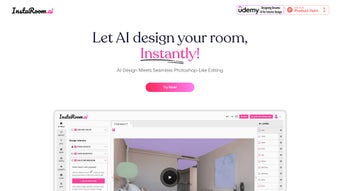

Download InstaRoom – AI‑Powered Interior Design Tool
InstaRoom is an innovative AI‑driven web application that revolutionizes interior design by allowing users to create stunning room layouts instantly. With a user‑friendly interface, a versatile toolkit and advanced editing capabilities reminiscent of Photoshop, the platform empowers both amateurs and professionals to redesign spaces in seconds. Whether you want to furnish an empty room, experiment with different styles, or start a design project from a photo taken on your mobile device, InstaRoom offers a seamless, secure and free solution that works directly in the browser.
Why InstaRoom Stands Out: Core Features and AI Power
The heart of InstaRoom lies in its AI engine, which analyzes room dimensions, lighting conditions and user preferences to generate design suggestions that feel handcrafted. Unlike traditional design software that requires hours of manual tweaking, InstaRoom’s AI can produce multiple layout options within a few clicks. This speed does not sacrifice quality; each suggestion respects proportion, color theory and current design trends, making the tool ideal for rapid prototyping or final presentations.
Behind the scenes, InstaRoom leverages a combination of convolutional neural networks for image recognition and generative adversarial networks (GANs) for style synthesis. When a user uploads a photo, the system first detects walls, windows, and major obstacles, then builds a 3‑D map of the space. The generative model then explores thousands of possible furniture arrangements, scoring each based on ergonomic flow, visual harmony and the selected style palette. Users receive a curated shortlist of the most promising concepts, which they can further refine manually. This blend of machine intelligence and human creativity sets InstaRoom apart from static template libraries.
Feature Highlights
- Instant Layout Generation: Upload a floor plan or snap a photo, and the AI creates several viable room configurations in seconds.
- Style Library: Choose from modern, minimalist, Scandinavian, industrial, rustic and many other curated styles.
- AI‑Assisted Furniture Placement: Smart algorithms suggest optimal furniture arrangement based on traffic flow and ergonomic principles.
- Photoshop‑Like Editing: Fine‑tune colors, textures, shadows and lighting with layer‑based tools that feel familiar to designers.
- Mobile Photo Capture: Start a design project on the go by taking a picture of an existing space with your smartphone.
- Educational Resources: Access a dedicated Udemy course on AI in interior design and a regularly updated blog featuring trends, case studies and tips.
- Export Options: Download high‑resolution renders, 2D floor plans or a shareable web link for client presentations.
- Secure Cloud Storage: All projects are saved securely in the cloud, allowing you to return to a design from any device.
These features combine to create a toolbox that is both powerful and approachable. The AI does the heavy lifting, while the intuitive UI gives you precise control over the final look. Whether you are a hobbyist decorating a home office or a professional architect preparing a client pitch, InstaRoom’s blend of automation and manual editing offers the flexibility you need without a steep learning curve. Additionally, the platform continuously learns from community feedback, meaning new style packs and smarter placement suggestions are added automatically as the user base grows.
Step‑by‑Step: Installation, Setup and Everyday Use
Because InstaRoom is a web‑based application, there is no traditional installation process. All you need is a modern browser (Chrome, Edge, Firefox or Safari) and an internet connection. The platform is built on progressive web technology, which means you can also “install” it as a shortcut on your desktop or mobile home screen for offline‑like access. Below is a concise guide to get you started quickly.
Getting Started
- Visit www.instaroom.com and click the “Start Designing” button.
- Create a free account using an email address or sign in with Google/Apple ID for single‑sign‑on convenience.
- Verify your email (a quick click on the verification link) to unlock full AI features.
Creating Your First Design
- Choose “New Project” and select the source: upload a floor plan PDF, drag‑and‑drop an image, or capture a room photo directly from your device.
- Enter basic dimensions if the AI cannot auto‑detect them; the system will prompt you for length, width and ceiling height.
- Pick a design style from the library; the AI instantly renders three variations.
- Use the “Edit” panel to adjust wall colors, flooring, lighting fixtures or replace suggested furniture with your own catalog items.
- When satisfied, click “Export” to download a PNG render, a PDF floor plan, or generate a shareable link.
Tips for Efficient Workflow
Power users often start by defining a “design brief” inside the app—this includes room purpose, budget constraints and any existing pieces that must stay. By entering this information early, the AI can prioritize solutions that respect those limits. Keyboard shortcuts such as Ctrl+Z for undo, Ctrl+S for quick save, and Space to toggle the 3‑D preview dramatically speed up the editing process. Collaboration is also built‑in: you can invite teammates via a secure link, allowing them to comment directly on the canvas without needing separate accounts.
Maintenance and Updates
InstaRoom receives automatic updates on the server side, so you always have access to the latest AI models, new style packs and performance improvements without any manual download. The platform also supports progressive web app (PWA) updates, ensuring that any cached assets on your device refresh silently in the background. For enterprises that require version control, a “Team” plan offers project snapshots and rollback capabilities.
For power users, a “Pro” subscription (optional) provides additional high‑resolution export options, premium furniture libraries and priority AI processing. The free tier already includes everything needed for most personal and small‑business projects, making InstaRoom an incredibly cost‑effective solution.
Compatibility, Pros & Cons, and Frequently Asked Questions
InstaRoom runs on any operating system that supports a modern web browser, including Windows 10/11, macOS Ventura and later, Linux distributions, Chrome OS, Android 8.0+ and iOS 13+. Because the application is cloud‑based, you can switch between devices seamlessly—your projects are stored securely in the cloud and synced in real time.
The responsive design adapts to tablets, laptops and even large‑format monitors, ensuring that designers can work comfortably whether they are in a studio or on a construction site. In addition, the platform follows WCAG 2.1 AA accessibility standards, offering high‑contrast mode, keyboard navigation and screen‑reader support for inclusive design experiences.
Pros
- Instant AI‑generated layouts save hours of manual drafting.
- Web‑based – no heavy downloads, works on Windows, macOS, Linux, Android and iOS.
- Intuitive Photoshop‑style editing tools for detailed customization.
- Free tier provides robust functionality for hobbyists and small firms.
- Secure cloud storage and optional offline PWA shortcut.
- Rich educational resources (Udemy course, blog) keep users up‑to‑date with industry trends.
- Collaboration features enable real‑time feedback from clients or teammates.
- Regular AI model upgrades improve design relevance over time.
Cons
- Advanced AI processing may be slower on low‑bandwidth connections.
- Premium furniture libraries and ultra‑high‑resolution exports require a paid subscription.
- Because it’s web‑based, offline work is limited to cached data without internet.
- Complex multi‑room projects can become resource‑intensive, requiring a newer browser version.
- Free tier limits the number of AI‑generated variations per month.
FAQ – Your Questions Answered
Is InstaRoom really free to use?
Yes, the core AI layout generator, style library and basic editing tools are completely free. An optional Pro subscription unlocks premium furniture packs, higher‑resolution exports and priority AI processing.
Do I need a powerful computer to run InstaRoom?
Since InstaRoom runs in the browser and the heavy AI calculations are performed on remote servers, a modest device with a recent browser version is sufficient. Faster internet speeds improve rendering times.
Can I import my own 3D models or furniture?
The free tier supports a built‑in catalog of popular furniture items. Pro users can upload custom OBJ or GLTF models, which the AI can then place within the layout.
Is my data safe when I store projects in the cloud?
InstaRoom uses end‑to‑end encryption and complies with GDPR and CCPA standards. Projects are stored on secure AWS servers with regular backups.
How does the AI understand my design preferences?
When you select a style or rate generated layouts, the AI learns from your feedback and refines future suggestions. It also analyzes room dimensions, natural light sources and existing décor captured in photos.
Final Verdict and How to Get Started Today
InstaRoom bridges the gap between cutting‑edge AI technology and practical interior‑design workflow. By delivering instant, high‑quality layouts while still offering deep manual control, it satisfies both novices looking for inspiration and seasoned designers who need rapid prototyping. The free tier is generous enough for most personal projects, and the optional Pro upgrade scales gracefully for professional studios. With secure cloud storage, cross‑platform compatibility and a wealth of educational content, InstaRoom positions itself as a must‑have tool in the modern designer’s arsenal.
The platform’s commitment to continuous improvement means you’ll benefit from new style packs, smarter AI suggestions, and performance optimizations without ever having to reinstall or purchase a new version. Whether you are redecorating a single bedroom, planning a full‑scale office renovation, or showcasing concepts to clients in real time, InstaRoom delivers a blend of speed, creativity and reliability that traditional desktop tools simply cannot match.
Ready to transform your space with a click? Download InstaRoom now, create your first AI‑powered room, and experience how effortless interior design can be. Join the growing community of creators who are redefining rooms, offices, and entire homes with the power of artificial intelligence.
Pros: Instant AI layouts, free core features, cross‑platform, secure cloud.
Cons: Premium assets require subscription, limited offline capability.



.png)



